Why .NET Developers Don't Need to Switch to Python for AI
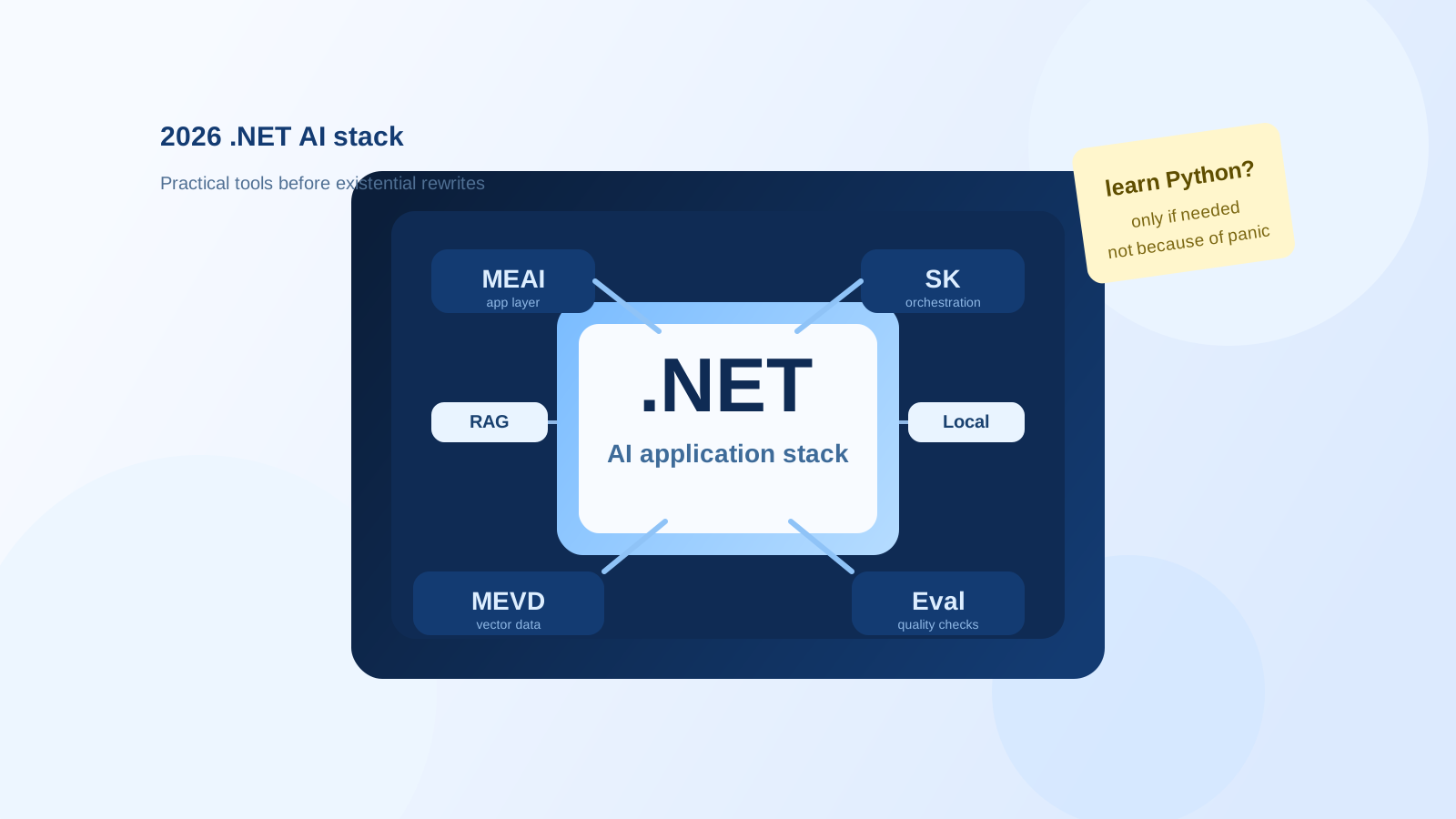
There is a certain genre of 2026 engineering anxiety that goes like this: “I write C#, AI is happening, therefore I apparently need to become a Python person next week.”
I think that reaction is understandable, and usually unnecessary.
Python is still very real in AI work. A lot of research code shows up there first. Many examples, notebooks, and model-side experiments still assume that your natural habitat includes pip, a Jupyter tab, and at least one mildly cursed virtual environment. None of that is fake.
But if your actual job is building software products in .NET, especially web apps, internal systems, APIs, document workflows, admin portals, and boring business software that still has to keep working next month, panic-switching languages is usually the wrong instinct.
By 2026, the .NET AI stack is no longer a polite side alley. It is a reasonably complete path for building production AI features without pretending your application became a research lab.
What matters is knowing which pieces do what.
Start with the useful question
Most .NET developers do not need “AI” in the abstract.
They need one or more of these:
- call a model from an ASP.NET Core app
- add chat, summarization, extraction, or classification
- ground answers on internal documents
- run embeddings and vector search
- evaluate outputs so prompts do not quietly regress
- wire AI features into an existing distributed system
- sometimes run smaller models locally
- maybe build a multi-step agent workflow, but only when the workflow actually earns it
That stack exists in .NET now, and the interesting part is that it is increasingly shaped like normal .NET software rather than a pile of disconnected demos.
The libraries that matter
1. Microsoft.Extensions.AI
If I had to pick the default starting point for app-level AI in .NET today, this would be it.
Microsoft.Extensions.AI gives .NET a common abstraction layer for chat clients, embeddings, image generation, middleware, and related plumbing. The important bit is not that abstractions are philosophically elegant. It is that they let you build application code around stable interfaces instead of smearing provider-specific SDK calls through your controllers, handlers, and services.
Use it when you want to:
- call LLMs from normal application code
- swap or compare providers with less collateral damage
- plug in telemetry, caching, and tool invocation using familiar DI patterns
- keep AI integration looking like part of the app, not a special side religion
The practical mental model is simple: if you are adding model-backed behavior to an existing .NET application, Microsoft.Extensions.AI is usually the first layer worth reaching for.
2. Semantic Kernel
Semantic Kernel is where things become more orchestration-shaped.
It is a model-agnostic SDK for building AI features, plugins, and agent-style flows. It still matters because it helps when your use case is no longer “send prompt, get answer” and starts becoming “coordinate tools, state, instructions, and multi-step behavior without hand-rolling the whole thing.”
Use it when you need:
- plugin and tool calling patterns
- memory or stateful AI workflows
- agent-style orchestration inside a .NET application
- a higher-level AI application model than raw provider SDK calls
One useful signal here is historical, too: Microsoft moved some of the lower-level abstractions that originated in Semantic Kernel into Microsoft.Extensions.AI. That is a good sign. It means the ecosystem is maturing instead of fragmenting.
I would not start with Semantic Kernel for every little AI feature. For a single chat or extraction flow, it can be more framework than you need. But once the workflow becomes multi-step, tool-using, or coordination-heavy, it starts making sense quickly.
3. Microsoft.Extensions.DataIngestion
RAG discussions often jump straight to vector databases, which is a bit like discussing warehouses before admitting your boxes are unlabeled.
Microsoft.Extensions.DataIngestion is the preparation layer. It is there to read, process, chunk, and enrich data before retrieval ever happens. In practice, that means documents, files, APIs, and other real-world sources that do not arrive in neat little model-friendly paragraphs.
Use it when you need to:
- process documents for AI use
- chunk content for retrieval
- prepare internal knowledge for search or grounding
- build something more repeatable than a one-off import script
This is especially relevant for document-heavy systems. If your product deals with policies, evidence, procedures, contracts, uploaded files, or audit material, the ingestion pipeline is usually where answer quality starts being won or lost.
4. Microsoft.Extensions.VectorData
This is the vector storage and retrieval layer.
Microsoft.Extensions.VectorData gives .NET a consistent API for working with vector stores, running semantic search, and separating retrieval concerns from model-calling concerns. That separation is healthy. Retrieval logic and prompt logic should not be fused together just because both eventually touch an LLM.
Use it when you want to:
- store embeddings in a reusable way
- search your own data semantically
- support RAG without writing vector-store-specific code everywhere
- keep open the option to change storage providers later
The useful practical detail here is that vector search is no longer exotic infrastructure. Microsoft now documents it as a normal part of .NET AI apps, and also points out that mainstream databases such as PostgreSQL and SQL Server can participate in these workflows. That is a much saner place to be than treating every AI feature like an excuse to adopt five new products before lunch.
5. Microsoft.Extensions.AI.Evaluation
This is one of the more important additions, precisely because it is less flashy.
AI features regress in annoying ways. A prompt tweak can improve one case and quietly break another. A model update can change tone, faithfulness, or retrieval behavior. Tool usage can become less reliable even while demos still look fine.
Microsoft.Extensions.AI.Evaluation exists to make that testable.
Use it when you need to:
- compare outputs across prompt or model changes
- measure relevance, completeness, fluency, and retrieval quality
- add safety evaluation where it matters
- integrate AI checks into existing
.NET testor CI workflows
This is one of the reasons I think the “just switch to Python” reflex misses the point for product teams. Production AI is not only about generating responses. It is also about protecting behavior. .NET being able to evaluate AI features with normal test infrastructure is a very practical advantage.
6. Microsoft.ML.Tokenizers
Tokenization sounds like a side detail right up to the point where costs drift, prompts exceed context windows, or your chunking logic becomes guesswork.
Microsoft.ML.Tokenizers gives you tokenizer support in .NET for counting, trimming, encoding, and decoding tokens. The 2026 docs explicitly show support for Tiktoken models such as gpt-5, plus Llama and other tokenizer families.
Use it when you need to:
- estimate token usage and cost
- trim prompts or chunks safely
- implement ingestion and retrieval logic with real token boundaries
- support local or non-OpenAI model families without pretending all tokenizers behave the same
This is not a glamorous library, but it is the kind of boring utility that makes the rest of the stack less hand-wavy.
7. OpenAI .NET SDK and Azure OpenAI companion
Sometimes you do not need a framework. You need the client library and a working app.
The official openai-dotnet SDK exists, is actively maintained, and gives .NET first-party access to the OpenAI API. On the Azure side, Azure.AI.OpenAI now sits as a companion to the official OpenAI .NET client for Azure-specific configuration and typed extensions.
Use these when you want to:
- talk directly to OpenAI models from C#
- keep the dependency surface small
- work with Azure OpenAI in a more Azure-native way
- build lower-level integrations before deciding whether a higher abstraction is worth it
This is probably the simplest counterargument to the old trope that “serious AI means Python.” No, serious AI can also mean an ASP.NET Core service calling models through an official .NET SDK and behaving like a normal production service.
8. Microsoft Agent Framework
Not every tool-calling loop deserves the word “agent”, and 2026 has not improved that particular inflation problem.
Still, some workflows are genuinely multi-step and goal-oriented. They route tasks, use tools, coordinate roles, and move through decisions instead of just returning a single generated answer. That is where Microsoft Agent Framework starts to become relevant.
Use it when you need:
- explicit multi-step goal pursuit
- routing, handoffs, and orchestration
- systems with several collaborating AI components
- something more structured than “the model will probably figure it out”
I would treat this as an escalation path, not a starting point. If a direct Microsoft.Extensions.AI flow solves the problem, stop there. If the problem is really orchestration complexity, then agent tooling is justified.
9. Aspire
Aspire is not an AI library in the narrow sense, but it matters around AI systems.
Once an application has an API, a worker, a vector store, maybe a document pipeline, maybe an observability stack, maybe a gateway, the AI feature stops being a single code call and becomes part of a distributed application. Aspire helps wire, run, and observe that system.
Use it when you need to:
- compose AI-related services in a multi-project .NET app
- improve local orchestration and service wiring
- make tracing and observability less painful
- keep the surrounding system understandable
This is the kind of thing Python-first AI conversations often skip. Shipping AI in a real product is not just model logic. It is the whole operational envelope around it.
10. Foundry Local and ML.NET
These sit slightly off to the side, but they are worth knowing about.
Foundry Local is Microsoft’s local-first AI runtime and SDK path for running supported models on-device, with C# support documented in 2026. If privacy, offline operation, or local execution is the real requirement, it belongs on the shortlist.
ML.NET remains relevant too, though for a different class of work. If your task is predictive models, classification, recommendations, anomaly detection, or other classical ML scenarios, ML.NET still makes more sense than forcing every problem through an LLM-shaped hole.
Use Foundry Local when you need:
- local model execution
- privacy-sensitive or offline AI features
- lower-latency, on-device scenarios
Use ML.NET when you need:
- classical machine learning in .NET
- structured prediction rather than conversational behavior
- integration with existing .NET business systems without introducing an LLM just because one is nearby
So when does Python still make sense?
Plenty of times.
If you are doing frontier-model experimentation, training workflows, GPU-heavy research code, notebook-first exploration, or using some brand-new library that only exists in Python today, then yes, Python is still the center of gravity for a lot of that world.
But that is not the same thing as saying every .NET developer should relocate there preemptively.
If your goal is to ship AI features inside a .NET product, the better strategy is usually:
- stay in C# for the application
- add Python only when a specific dependency or workflow actually requires it
- keep the boundary explicit when you do
That tends to produce calmer systems and fewer architectural identity crises.
My practical bias
For a typical product team or solo builder working in .NET, I would think about the stack roughly like this:
- Start with
Microsoft.Extensions.AIplus the provider SDK you actually need. - Add
Semantic Kernelonly when the workflow becomes orchestration-heavy. - Add
Microsoft.Extensions.DataIngestionandMicrosoft.Extensions.VectorDatawhen your own data becomes part of the answer. - Add
Microsoft.Extensions.AI.Evaluationearlier than your inner demo enthusiast wants to. - Use
Microsoft.ML.Tokenizersanywhere token budgets actually matter. - Bring in
Aspirewhen the surrounding system has enough moving parts to deserve it. - Reach for Python only where it is specifically better, not because AI Twitter made direct eye contact.
That is not language tribalism. It is just trying to keep the center of gravity where the rest of the product already lives.
The quieter conclusion
I do not think .NET developers need to be defensive about AI in 2026.
They do need to update their map.
The old map said serious AI work lives elsewhere, and C# can maybe call into it if everyone behaves. The newer map is more useful. .NET now has a real application-layer AI stack, a retrieval stack, an evaluation story, tokenization utilities, official provider SDKs, and an increasingly normal way to run all of this inside actual software products.
Python is still valuable. It is just no longer the mandatory pilgrimage.
If you already build in .NET, you can do a lot of meaningful AI work without abandoning your ecosystem, your tooling, or your ability to debug the rest of your application in the same language.
Which is nice, because one existential rewrite at a time is usually enough.
Official references
- .NET AI overview
- .NET + AI ecosystem tools and SDKs
- Microsoft.Extensions.AI
- Semantic Kernel documentation
- Microsoft.Extensions.DataIngestion
- Microsoft.Extensions.VectorData
- Vector databases for .NET AI apps
- Microsoft.Extensions.AI.Evaluation
- Microsoft.ML.Tokenizers
- Microsoft Agent Framework overview
- Aspire documentation
- ML.NET documentation
- OpenAI .NET SDK
- Azure OpenAI client library for .NET
- Foundry Local overview